Pebbles
Tally Counter
Swipe
Legal
Privacy PolicyApp Store listing
Pebbles: Tally Counter
Daily Counter & Goal Tracker
Utilities · Productivity
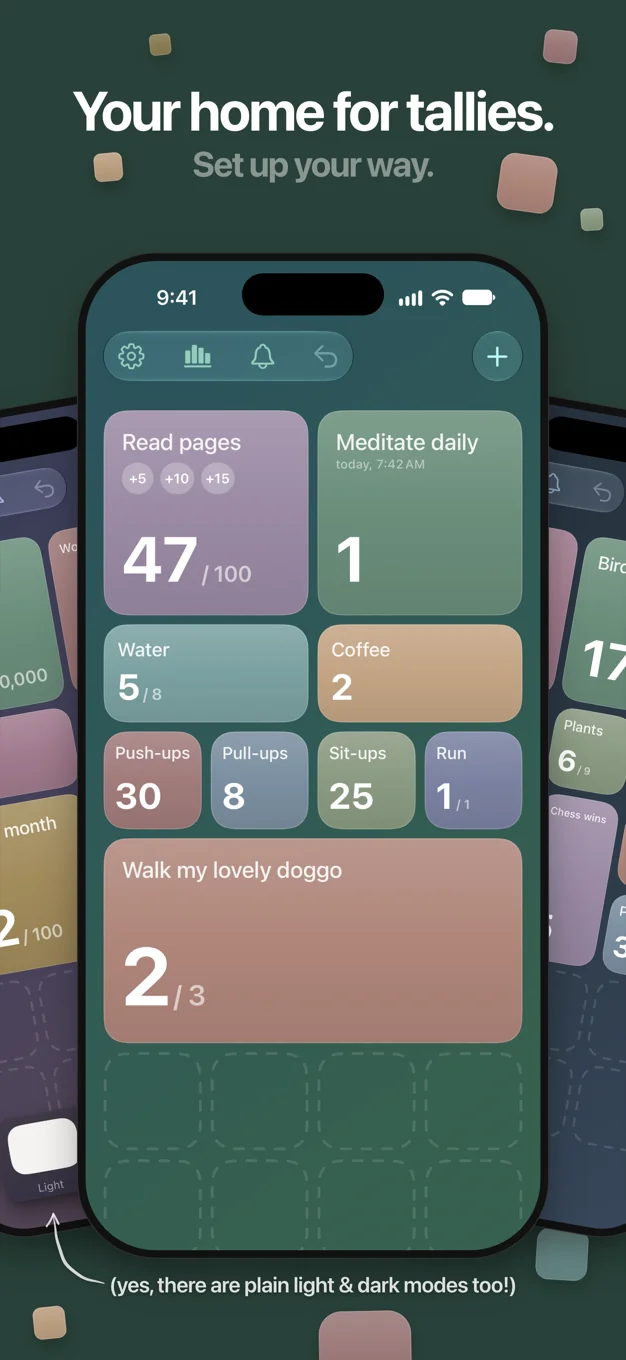
Pebbles gives you simple, colorful tally counters arranged in a grid. Tap to count. That's the basics - but there's a lot more underneath.
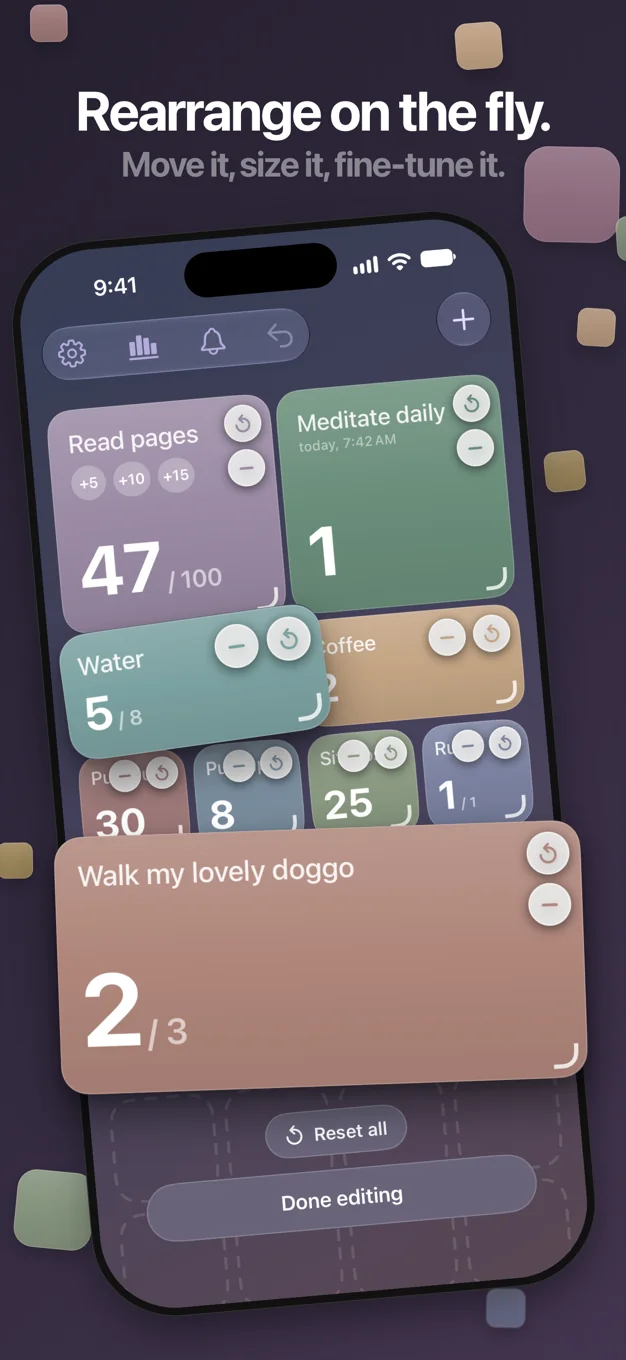
Each counter is a tile you can resize, color-code, and rearrange by dragging. Custom tile sizes let you give more space to the counters that matter most. Large tiles show quick-add buttons for counting by custom amounts (+5, +10, whatever you need).
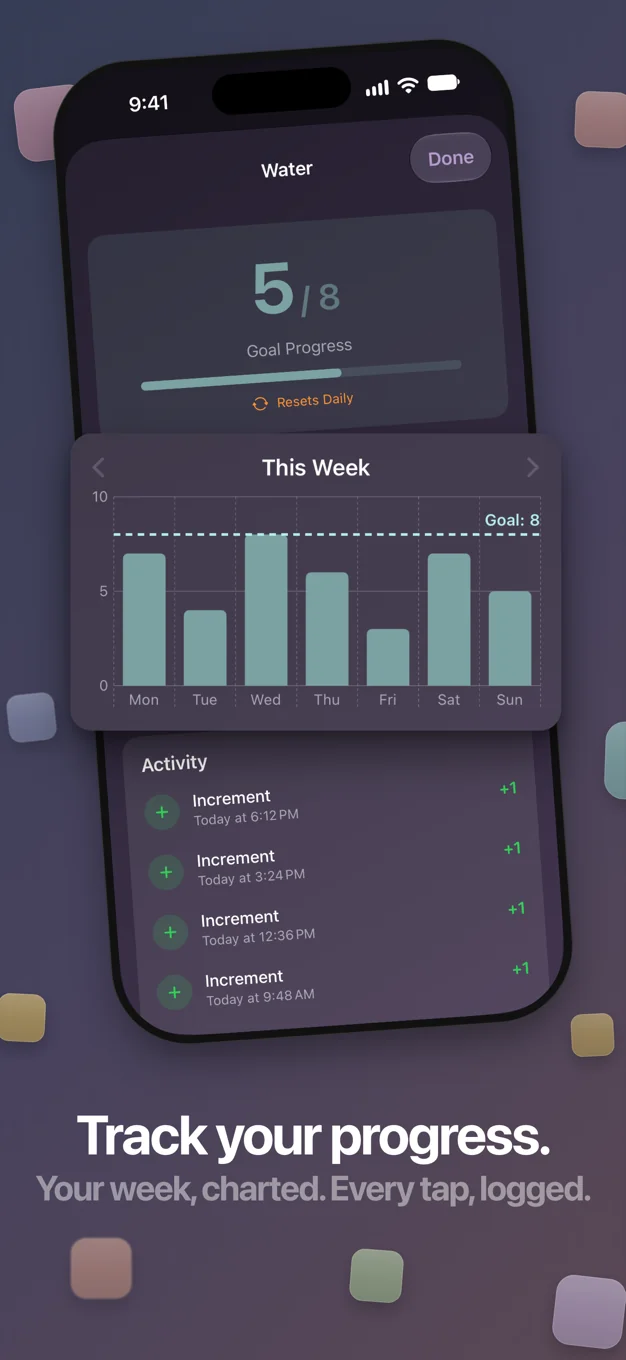
Set a daily goal and track your progress right on the tile. Turn on daily reset for counters that start fresh each morning. Full history is always there - charts, activity logs, everything broken down per counter.
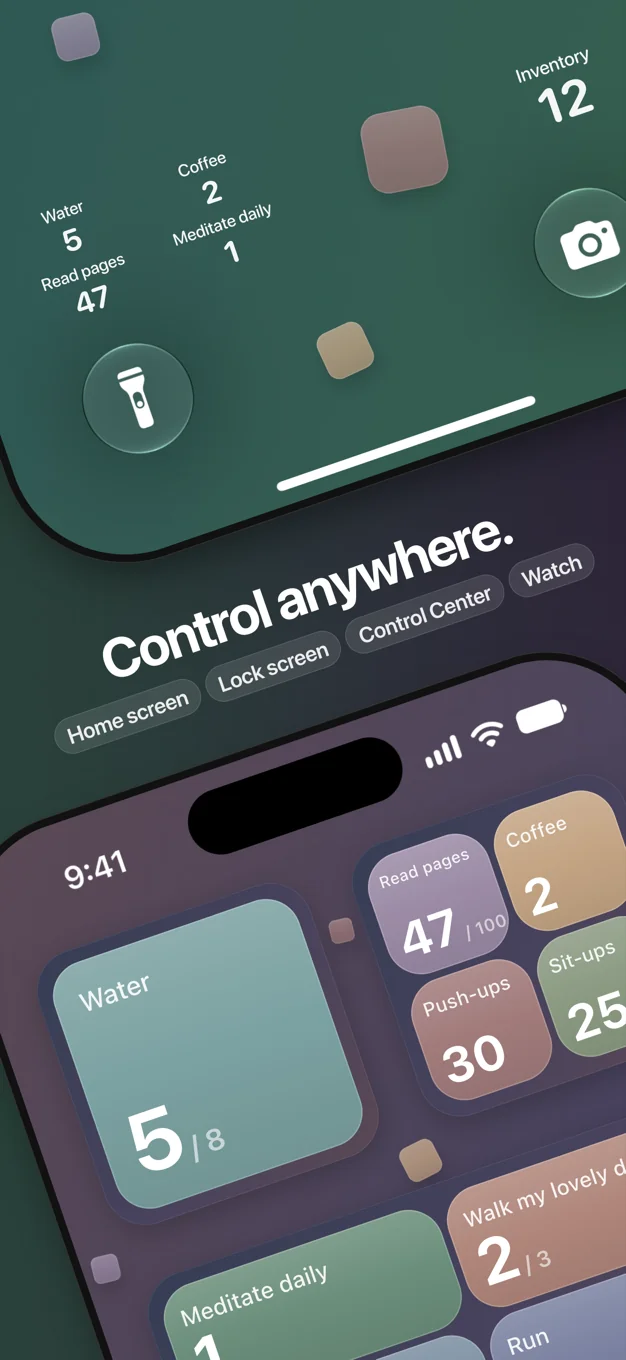
Widgets are a big part of Pebbles. Tap to count from your Home Screen, Lock Screen, or Control Center without ever opening the app. On Apple Watch, each counter gets its own page with tap to increment and swipe to decrement.
Everything syncs across your devices through iCloud.
- Resize, drag, and rearrange your tally home screen
- 11 color presets with custom tile sizes
- Undo support
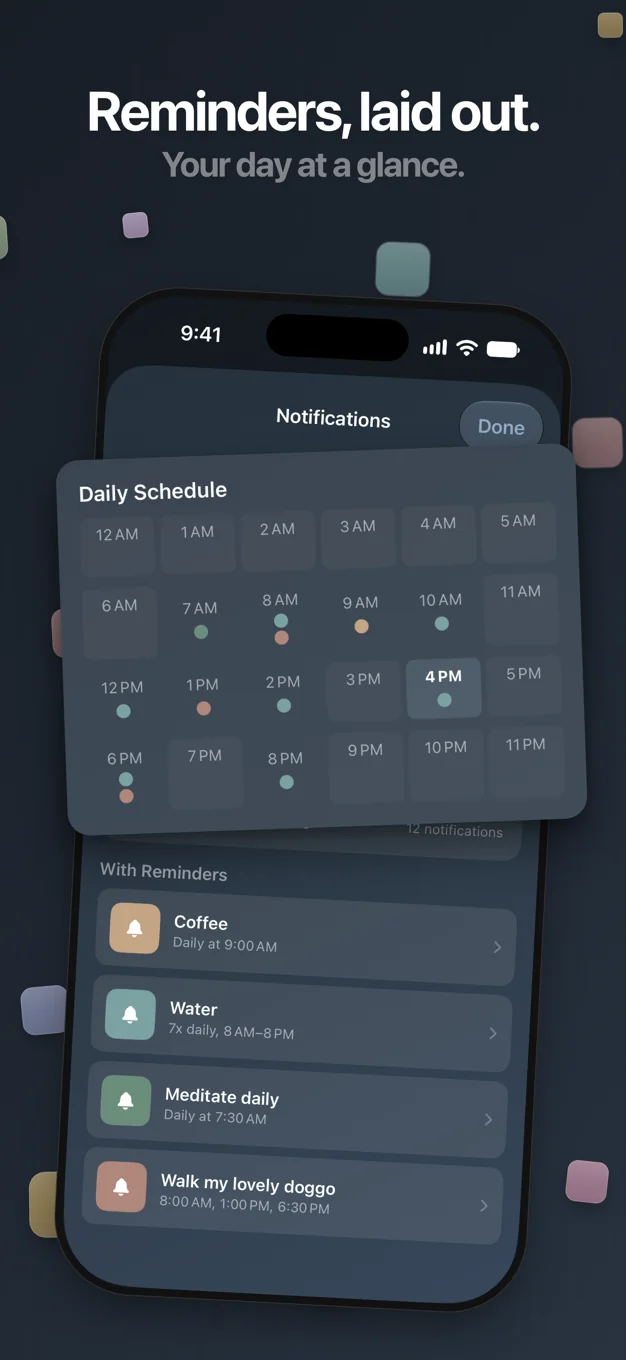
- Reminder notifications - daily or recurring
- Siri Shortcuts for counting and checking totals by voice
- Archive and restore counters
- VoiceOver and Reduce Motion support
Pebbles: Zähler & Strichliste
Klickzähler - einfach zählen
Dienstprogramme · Produktivität
Zähl ganz einfach, was zählt.
Mit Pebbles bekommst du einfache, bunte Zähler, übersichtlich in einem Raster angeordnet. Tippen zum Zählen. Das ist die Grundidee – doch darunter steckt noch viel mehr.
Jeder Zähler ist eine Kachel: Du kannst ihre Größe ändern, sie farblich kennzeichnen und per Ziehen neu anordnen. Mit individuellen Kachelgrößen gibst du den Zählern, die dir am wichtigsten sind, mehr Platz. Große Kacheln zeigen Schnelltasten, mit denen du in eigenen Schritten hochzählst (+5, +10 – ganz wie du es brauchst).
Lege ein Tagesziel fest und verfolge deinen Zielfortschritt direkt auf der Kachel. Aktiviere das tägliche Zurücksetzen für Zähler, die jeden Morgen wieder bei null starten. Der komplette Verlauf ist immer da – Diagramme und die letzte Aktivität, alles übersichtlich pro Zähler aufgeschlüsselt.
Widgets sind ein großer Teil von Pebbles. Zähle per Tippen vom Home-Bildschirm, vom Sperrbildschirm oder aus dem Kontrollzentrum – ganz ohne die App zu öffnen. Auf der Apple Watch bekommt jeder Zähler seine eigene Seite: tippen zum Erhöhen, wischen zum Verringern. Komplikationen halten deine wichtigsten Zähler direkt auf dem Zifferblatt bereit.
Alles wird über iCloud geräteübergreifend synchronisiert.
- Kacheln in der Größe ändern, ziehen und neu anordnen
- 11 Farbvorlagen und individuelle Kachelgrößen
- Schnelltasten (+5, +10) auf großen Kacheln
- Tagesziele mit Fortschrittsanzeige und tägliches Zurücksetzen
- Verlauf mit Diagrammen und letzter Aktivität
- Aktionen widerrufen
- Erinnerungen als Mitteilung – täglich oder wiederkehrend
- Widgets für Home- und Sperrbildschirm sowie das Kontrollzentrum
- Apple Watch App mit Komplikationen
- Siri-Kurzbefehle zum Zählen und Abfragen von Ständen per Sprache
- Zähler archivieren und wiederherstellen
- Monochrom-Modus für ein ruhiges, reduziertes Design
- Unterstützung für VoiceOver und „Bewegung reduzieren“
Und sieh zu, wie dein Fortschritt Tag für Tag wächst.
Pebbles: カウンターアプリ 数取器
カウントアプリ・回数をタップで数える・数取り
ユーティリティ · 仕事効率化
数えたいものを、タップひとつで。 カラフルなカウンターを、グリッドに並べていきましょう。
タップするだけ。それだけで、ちゃんと数えられます。 シンプルなのに、できることはたくさん。
ひとつひとつのカウンターは、自由に動かせるタイルです。 サイズを変えて、色を選んで、ドラッグで並べ替え。 大切なカウンターは、大きなタイルでゆったりと。
大きなタイルには、クイックボタン。 「+5」「+10」など、好きな数でまとめて増やせます。
目標を決めれば、進み具合をタイルでそっと確認。 毎日リセットをオンにすれば、朝にはまたゼロから。 履歴はいつでもそこに。グラフでも一覧でも、ふり返れます。
ウィジェットは、Pebbles の大切な一部です。 ホーム画面でも、ロック画面でも、コントロールセンターでも。 アプリを開かずに、タップひとつ。
Apple Watch なら、カウンターごとに1ページ。 タップで増やして、スワイプで減らせます。
お使いのデバイス間は、iCloud でいつも同じ。
- タイルのサイズ変更・ドラッグ・並べ替え
- 11色のカラーパレットと、選べるタイルサイズ
- 元に戻す(うっかり押しても、だいじょうぶ)
- リマインダー通知 - 毎日、または繰り返し
- Siri ショートカットで、声で数えたり合計を確認したり
- カウンターのアーカイブと復元
- VoiceOver と「視差効果を減らす」に対応
好きなだけ、カウンターを作りましょう。 がんばりが、積もっていく。
Pebbles: 카운터 & 횟수 세기
목표·습관 트래커, 위젯과 애플워치
유틸리티 · 생산성
세고 싶은 건, 탭 한 번으로.
Pebbles는 격자에 가지런히 놓인, 다채로운 색의 카운터예요. 탭하면 숫자가 올라가요. 기본은 이게 전부예요. 그런데 그 안엔 더 많은 게 담겨 있어요.
카운터 하나하나는 자유롭게 옮길 수 있는 타일이에요. 크기를 바꾸고, 색을 고르고, 드래그로 자리를 바꿔요. 타일 크기를 마음대로 정할 수 있어서, 가장 중요한 카운터엔 더 넉넉한 자리를 줄 수 있어요.
큰 타일에는 빠른 증가 버튼이 있어요. +5, +10처럼 원하는 만큼 한 번에 올릴 수 있어요.
일일 목표를 정하면, 목표 진행률을 타일에서 바로 확인해요. 매일 초기화를 켜면, 카운터가 아침마다 다시 0부터 시작해요. 기록은 언제나 그대로예요. 차트와 활동 기록으로, 카운터별로 하나하나 돌아볼 수 있어요.
위젯은 Pebbles의 중요한 부분이에요. 홈 화면에서도, 잠금 화면에서도, 제어 센터에서도. 앱을 열지 않고 탭 한 번으로 세어요.
Apple Watch에서는 카운터마다 페이지가 하나씩 있어요. 탭하면 올라가고, 쓸어넘기면 내려가요. 워치 페이스 컴플리케이션으로도 한눈에 확인해요.
모든 기기는 iCloud로 늘 같은 상태로 동기화돼요.
주요 기능
- 자유로운 타일 크기, 드래그로 자리 바꾸기
- 11가지 색상 프리셋
- 큰 타일의 빠른 증가 버튼 (+5, +10처럼)
- 일일 목표와 타일 위 진행률 표시
- 매일 자동 초기화와 초기화 배지
- 차트와 활동 기록 보기
- 되돌리기 (잘못 눌러도 괜찮아요)
- 리마인더 알림 (매일 한 번 또는 시간마다 반복)
- 홈 화면 · 잠금 화면 · 제어 센터 위젯
- Apple Watch 앱과 컴플리케이션
- 음성으로 세고 합계를 확인하는 Siri 단축어
- 카운터 보관과 복원
- 모노크롬 모드
- iCloud로 모든 기기 자동 동기화
- VoiceOver와 동작 줄이기 지원
그리고 하루하루, 차곡차곡 쌓여가는 노력을 지켜봐요.